Connect
Install Relay on a Windows PC, pick an AI provider (or run one locally) and connect your mailbox: Microsoft 365, Gmail or any IMAP account.
Getting startedPrivate preview · Windows desktop app
Relay's agents read your email, do the work in your tools, from Power BI reports to quotes and follow-ups, and draft every reply. Nothing leaves until you approve it.
Maya asks for a Q3 sales report and attaches a CSV. Relay picks it up from your shared inbox.
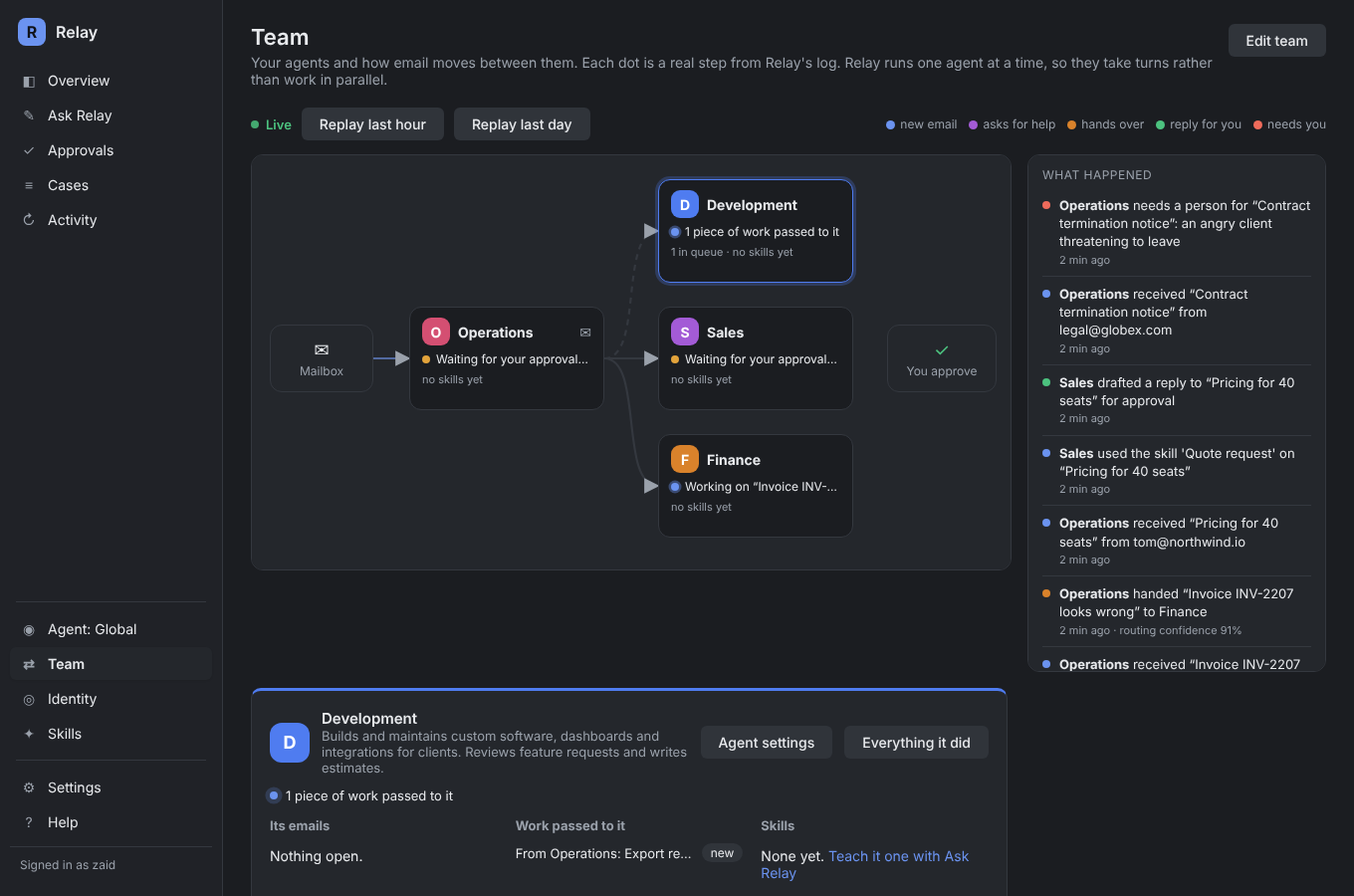
Your front-desk agent works out what is being asked and passes the work to Reporting. It only follows an arrow when it's sure.
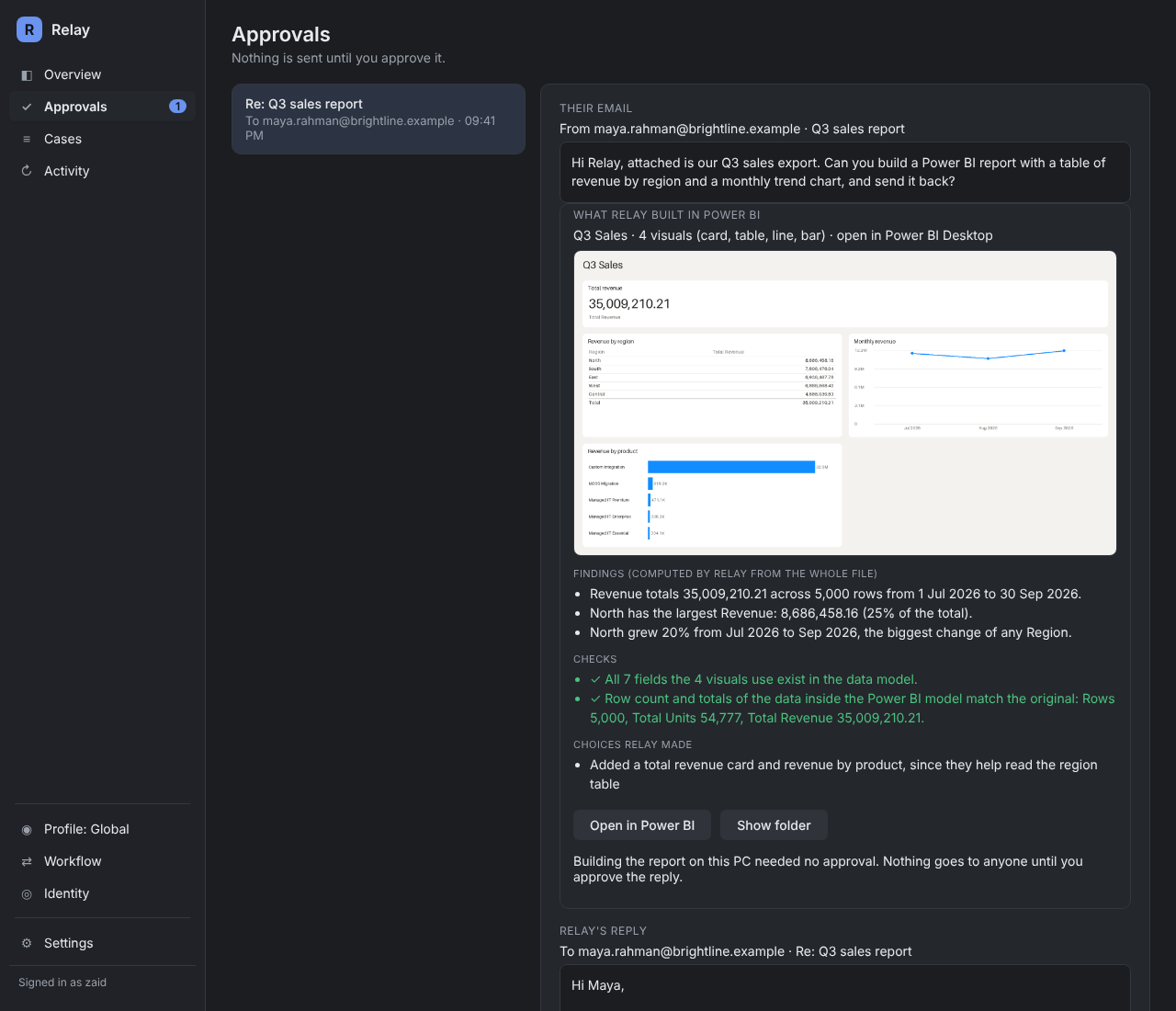
It builds a Power BI report on your PC and checks every total against the file. Findings come from code, not guesswork.
The reply and the report wait for your approval, with what Relay found and why. One click sends it.
An invoice question goes to Finance, a quote request to Sales. Each answers in its own voice, and each reply waits for you.
What came in, who handled it, what the AI saw and what went out. Replay the last hour in the Team view.
Works with
How it works
Install Relay on a Windows PC, pick an AI provider (or run one locally) and connect your mailbox: Microsoft 365, Gmail or any IMAP account.
Getting startedTell Relay about your business, drop in your price lists and procedures, and describe the tasks you want done. Relay drafts each skill for you to check.
How skills workEvery reply, report and change waits on the Approvals screen with what Relay found, what it did and why. One click sends it. Nothing goes out on its own.
Approvals and the audit trailAgents
Set up Operations, Sales, Finance or Reporting the way you would brief a new hire. Each agent can have its own mailbox, its own skills and its own way of writing.
Inside Relay
These are screens from the app, not mock-ups.
Relay writes a Power BI project, opens it in Power BI Desktop on your PC, and checks every total against the file. The findings come from code, not from the AI's guesswork.
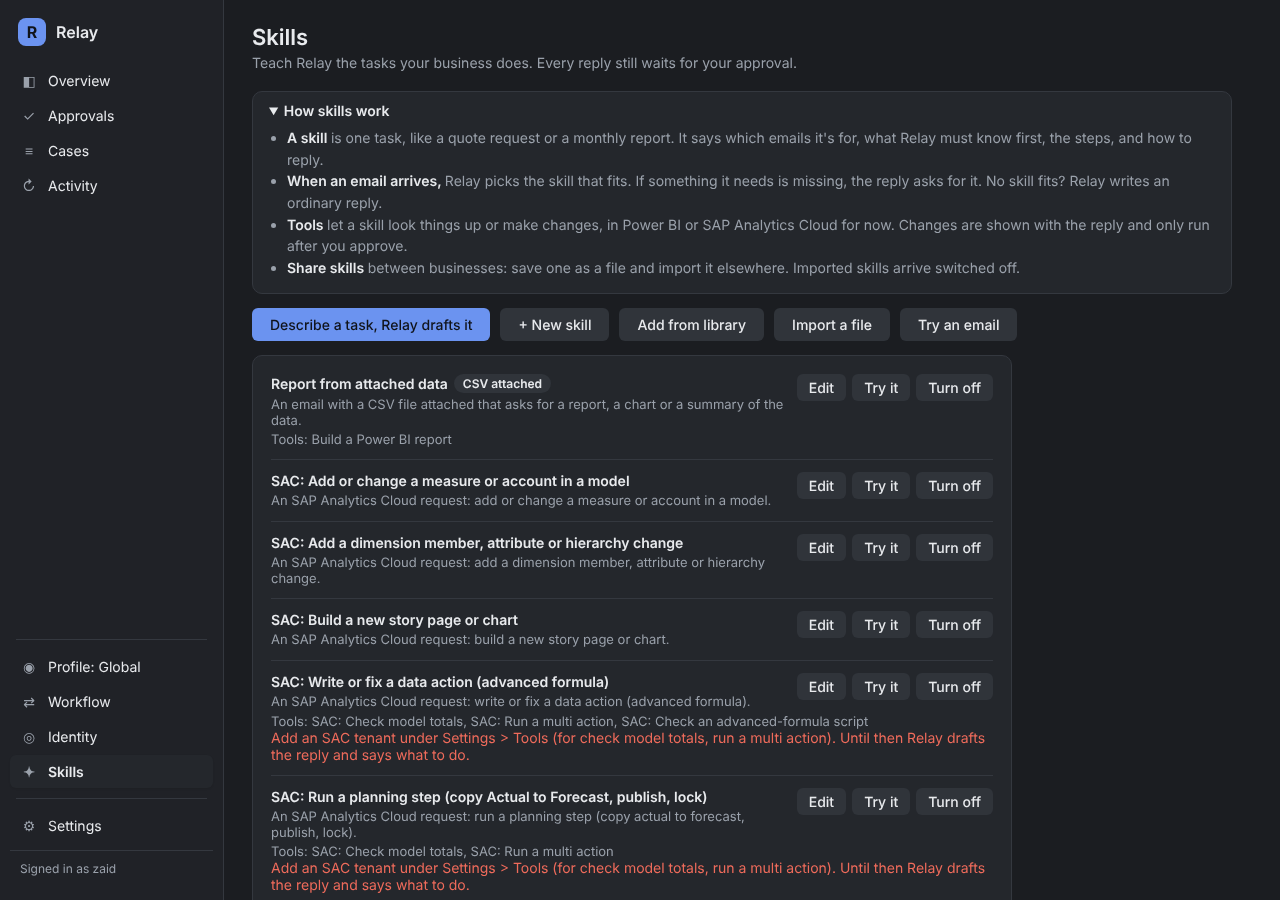
Describe a task in plain words and Relay drafts a skill: when to use it, what it must know first, the steps and how to reply. Try it on a sample email before you switch it on.
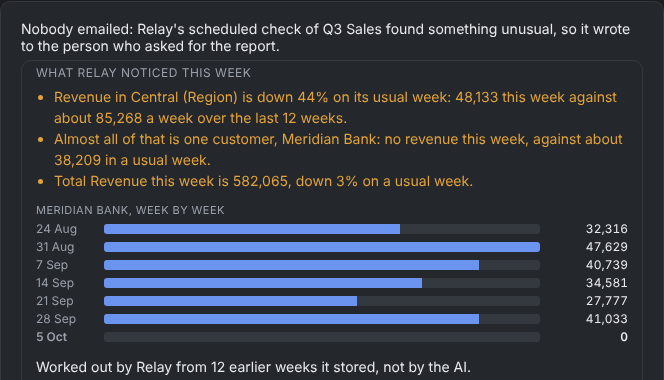
Ask for a report every Monday. Relay refreshes it each week and only writes to you when a number moves far outside normal, with the likely cause.
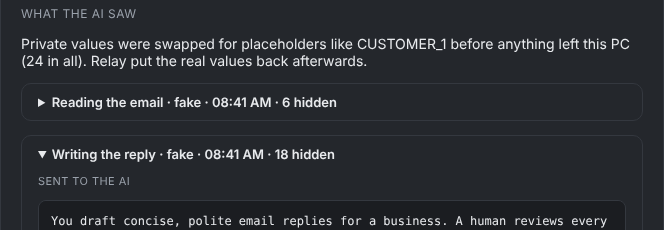
Names, emails, amounts and account numbers are swapped for placeholders before anything reaches the AI, then put back on your PC. Every case shows the masked text.
Safety
Replies, shared reports and changes in your tools wait for approval. If the draft changes after you approve, it needs approving again.
Before the AI sees an email or a spreadsheet, Relay swaps out what's private:
Maya Rahman at Meridian Bank owes €48,200
Every case keeps what came in, what Relay decided, what the AI was sent and what went out. Nothing is edited after the fact.
Relay and its database live on your Windows PC. Pair it with a local AI model and email content never goes to an AI company at all.
Use cases
Email a sales export and get a Power BI report with findings checked against the data. Ask for it every Monday and Relay only speaks up when something moves.
Power BI DesktopQuotes, order status, invoice questions and meeting requests are sorted, routed to the right agent and drafted in your voice, asking for anything missing instead of guessing.
Microsoft 365 · Gmail · IMAPConnect Relay to your CRM, accounting, ticketing or shop system. It looks up orders and customers to answer properly, and any change it proposes waits for your approval, with what was there before saved first.
Any system with a web APIAsk Relay
Ask Relay is a chat that builds your setup with you. Drop in your company profile and price lists, and it proposes your agents and skills one card at a time. Nothing is saved until you confirm it.
Ask Relay can't change approval rules, tool permissions or privacy settings. Those stay on screens you control.
How Ask Relay worksPricing
$0
For one person trying Relay on real email.
$49/ month
per installation, or $490 a year (2 months free)
For a team that wants Relay doing real work every day.
from $6,000setup
then $400 a month, which includes the Paid licence, updates and email support
We set Relay up for your business and look after it.
Prices are per Relay installation (one PC, one company workspace), not per user, and exclude any tax. You pay your AI provider separately, or use a local AI. Every account starts with 30 days of Paid. After that Relay moves to Free unless you upgrade. Nothing is deleted.
Download Relay, connect a mailbox and approve your first AI-drafted reply today.