Tutorials
Tutorial: build your first skill
In this tutorial you teach Relay to handle quote requests, from description to a tested, switched-on skill.
Tip: You can also do all of this in Ask Relay: describe the task in the chat and confirm the skill card it proposes.
1. Describe the task
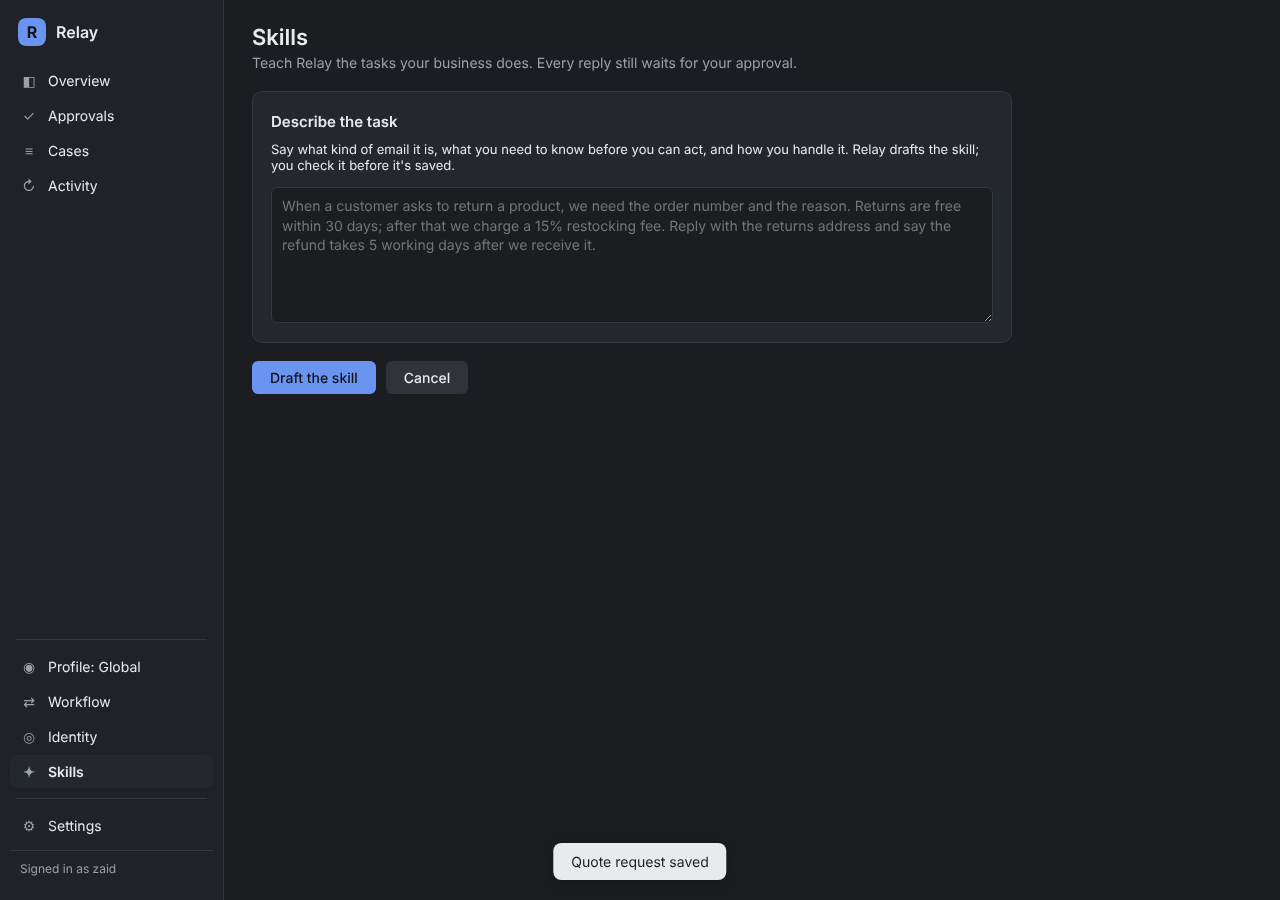
Open Skills and click Describe a task, Relay drafts it. Write it the way you'd brief a new colleague:
When someone asks for a quote, find out which service they want, how many users and their start date. Use our price list. Under 10 users get the Essential plan; 10 or more get Premium. Offer a call for anything over 50 users. Reply warmly and include the price and what's included.
2. Check the draft
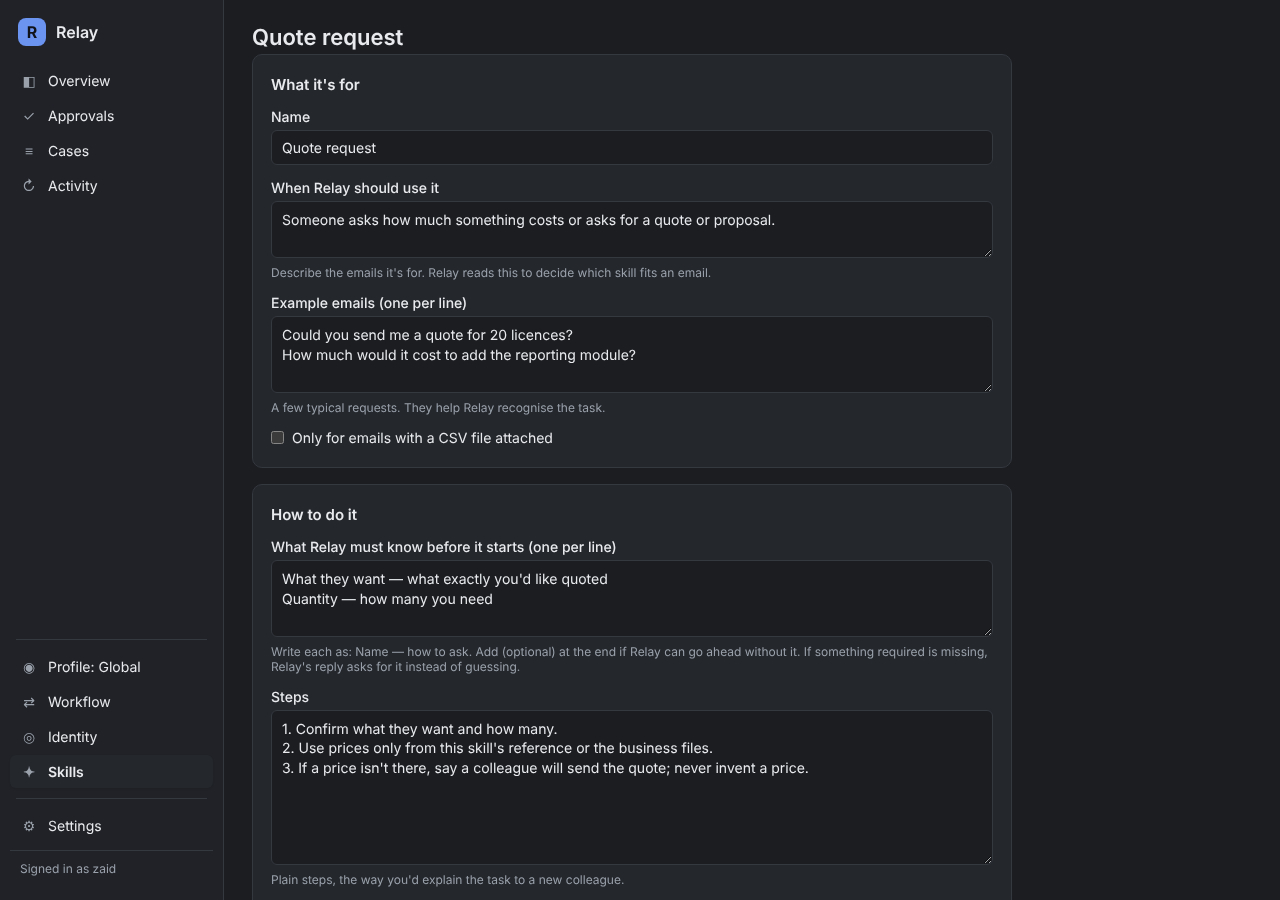
Relay drafts the full skill. Check each part:
- When to use it: is it specific enough not to catch other emails?
- What Relay must know first: service, number of users, start date. Mark start date optional if you can quote without it.
- Steps and reply: do they match how you'd do it?
- Facts: paste in the prices if they aren't in your files.
- Which agent: Sales, if you have one.
3. Try it
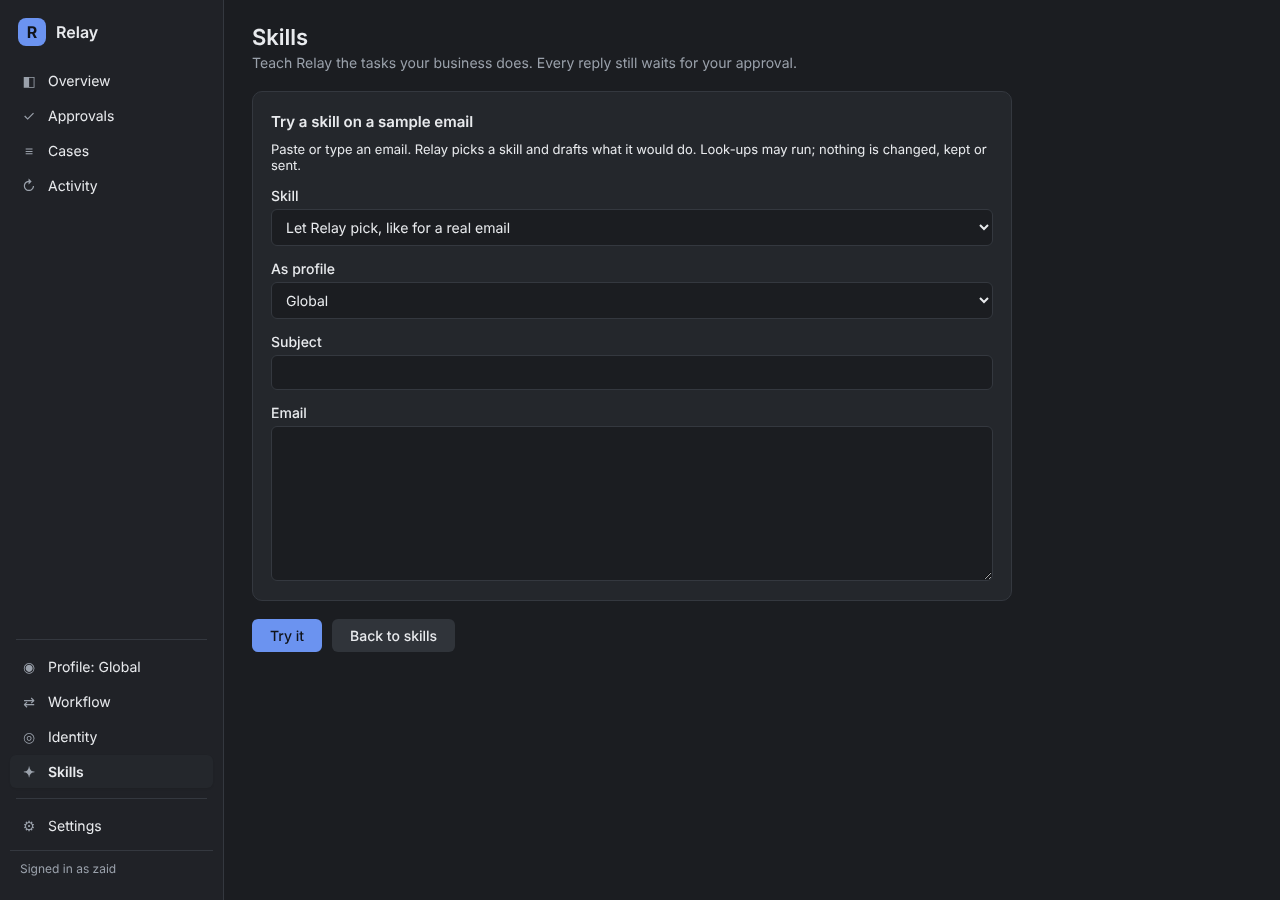
Click Try an email and paste a real quote request. Check the skill Relay picked, the details it found, what's missing and the draft. Try one where the number of users is missing: the draft should ask for it.
4. Switch it on
Turn the skill on and save. From now on, quote requests use it. Every reply still waits for your approval.
Ideas for your next skills
Order or delivery status, invoice or payment questions, meeting requests, returns, and anything your team answers more than twice a week.